
This week, I got so many questions about how to add paper texture in Procreate. It’s something I do on almost every sketch, so I want to walk you through it properly. In this post, I’ll show you exactly how I do it, step by step.
But first, let’s talk about why it matters, because it’s bigger than a cosmetic detail.
With so much artwork being created by AI right now, clean, polished digital art can start to feel flat. A lot of it looks the same. What makes artwork stand out today is personality: the tactile feel, the pencil texture, the little signs that a real person made it.
You want sketches that feel personal, human-centered, and true to you as the artist.
Why Your Procreate Sketches Need a Little Texture
When I was a student at the Fashion Institute of Technology, we did the opposite of what I do now. We’d scan our sketches and remove every imperfection and trace of paper texture so the artwork looked as clean and digital as possible. That was the goal.
Now I find myself almost always adding paper texture to my Procreate canvas. It brings back the charm of a hand-drawn, human-sketched design. And since Procreate is digital, realistic elements like paper make sketches feel more dynamic and alive.
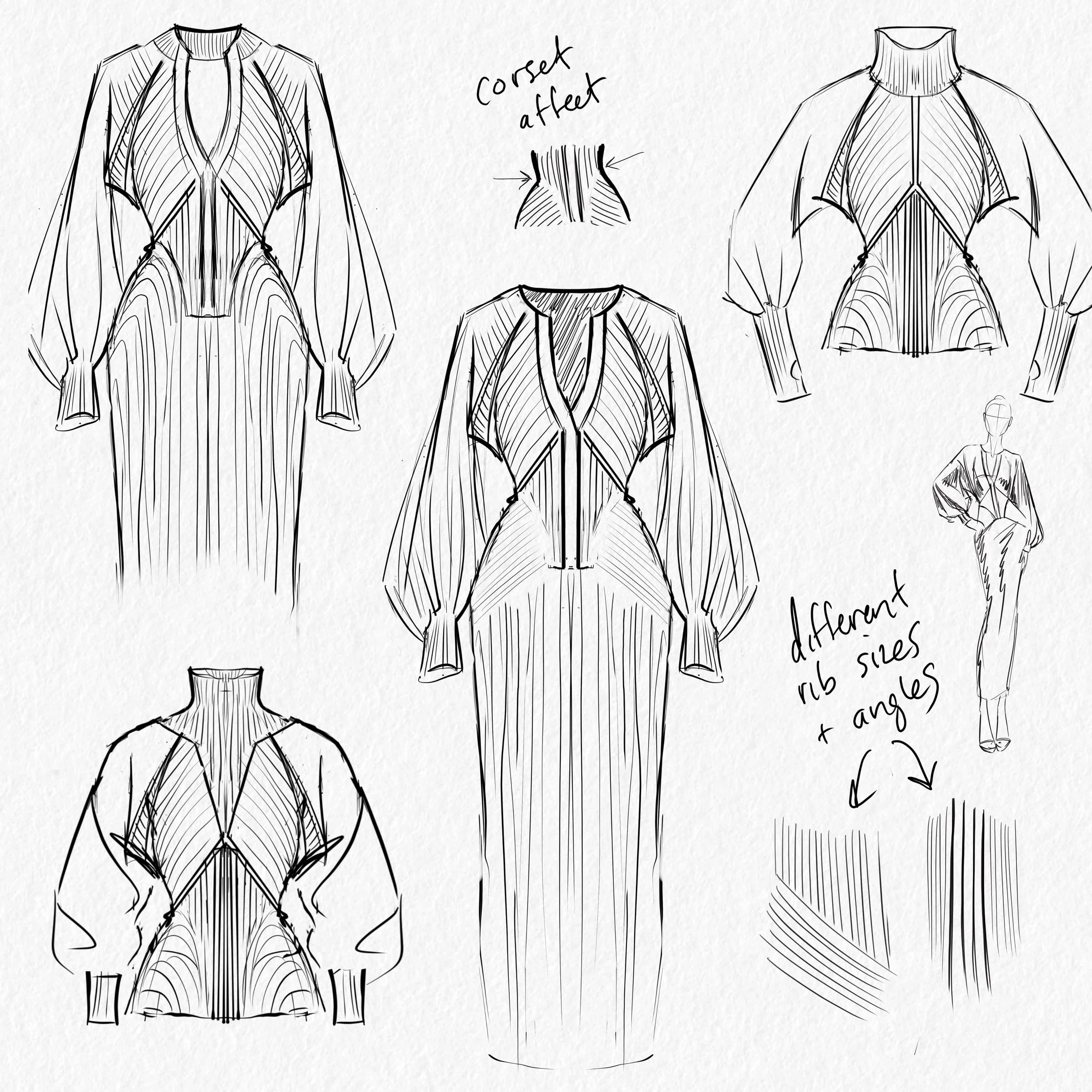
Here’s an example of a sketch I drew entirely in Procreate. See how the paper texture and pencil lines give it that hand-drawn feel?
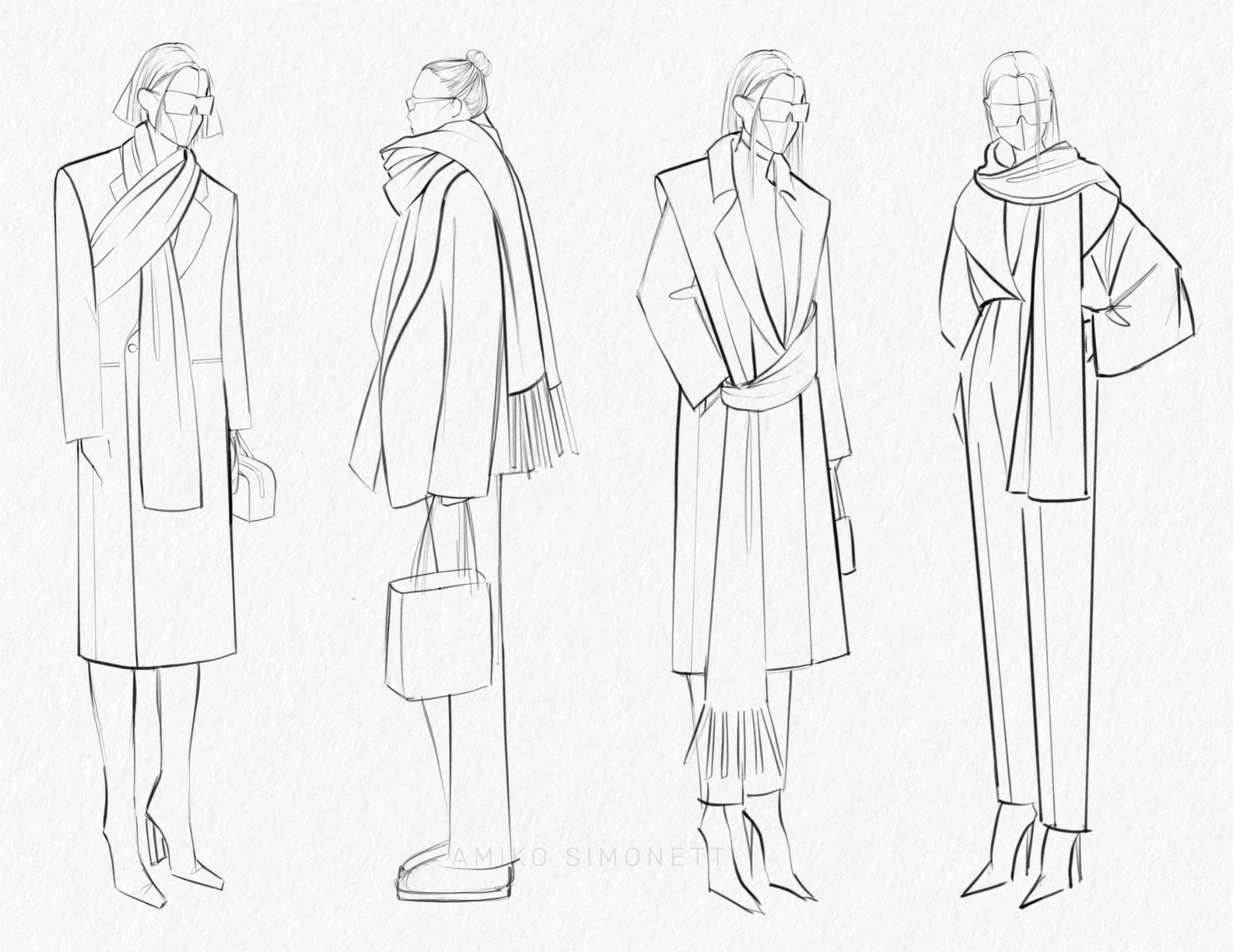
This isn’t just my personal preference, either. It’s an emerging trend. In the age of AI, the more human the artwork, the more palatable it is, even with the flaws and imperfections.
That’s exactly why my Procreate for Fashion Design course includes elements like the mechanical pencil, paper texture, and smudging sticks. They give your digital sketches that handmade touch.
What You’ll Learn in This Tutorial
Here’s what we’ll cover today:
How to add paper texture to your Procreate canvas, step by step
How to adjust the depth and scale of the texture so it fits your style
By the end, your sketches will have a warm, hand-drawn feel, even though you’re working digitally.
Prefer to watch? I made a video version of this tutorial. Press play below and follow along with me, then come back here for the written steps.
[AMIKO EMBED YOUTUBE VIDEO]
5 Steps to Add Paper Texture in Procreate
Adding paper texture takes only a few minutes once you know where everything is. Here’s exactly how I do it.
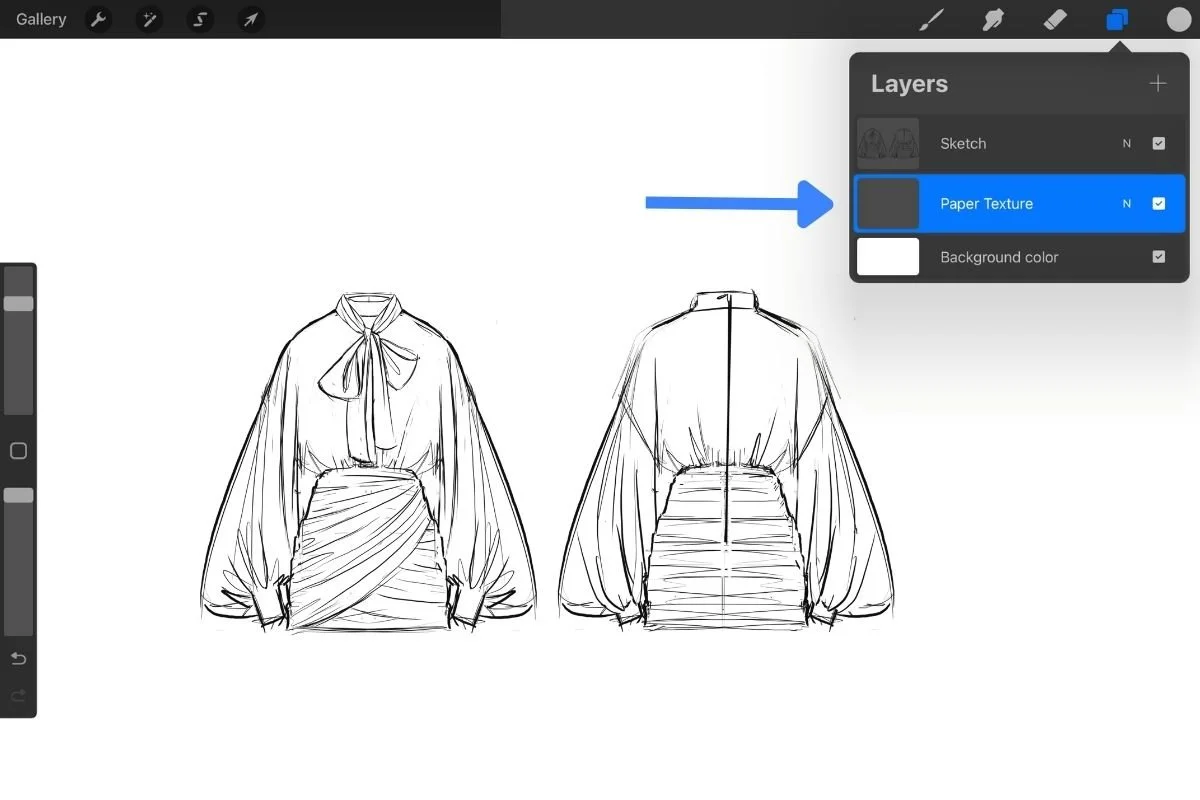
Step 1: Add a new layer under your sketch.
Open the Layers panel (the overlapping squares icon in the top-right corner) and tap the + icon to add a new layer. Drag it underneath your sketch layer so the texture sits behind your lines.
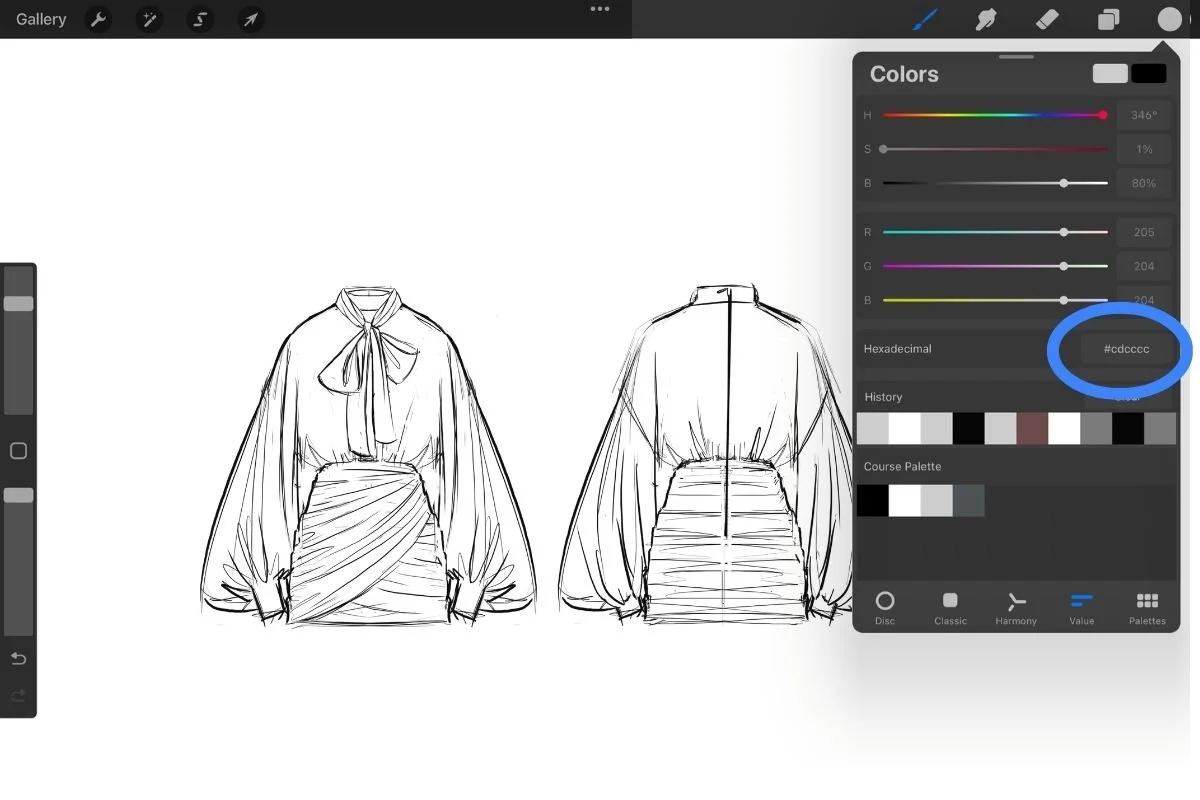
Step 2: Choose a light grey paper color.
Tap the Active Color circle in the top-right corner to open the Color panel. Pick a light grey for your paper. My favorite is hex code #cdcccc.
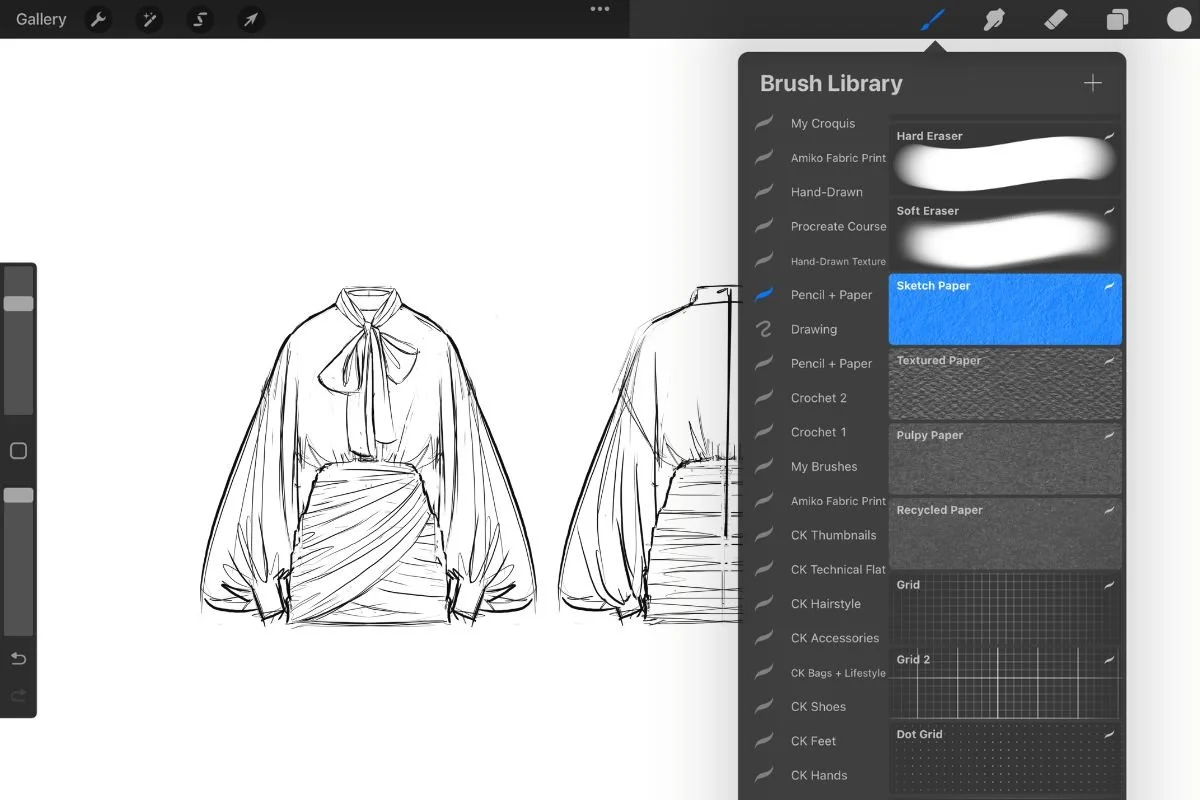
Step 3: Select your paper texture brush.
Open the Brush Library (the paintbrush icon in the top-right corner) and choose your sketch paper brush. Not sure where to get one? I’ll show you three ways in the next section.
Step 4: Increase your brush size.
Slide the brush size almost all the way to the max. You want one big stroke to cover the whole canvas.
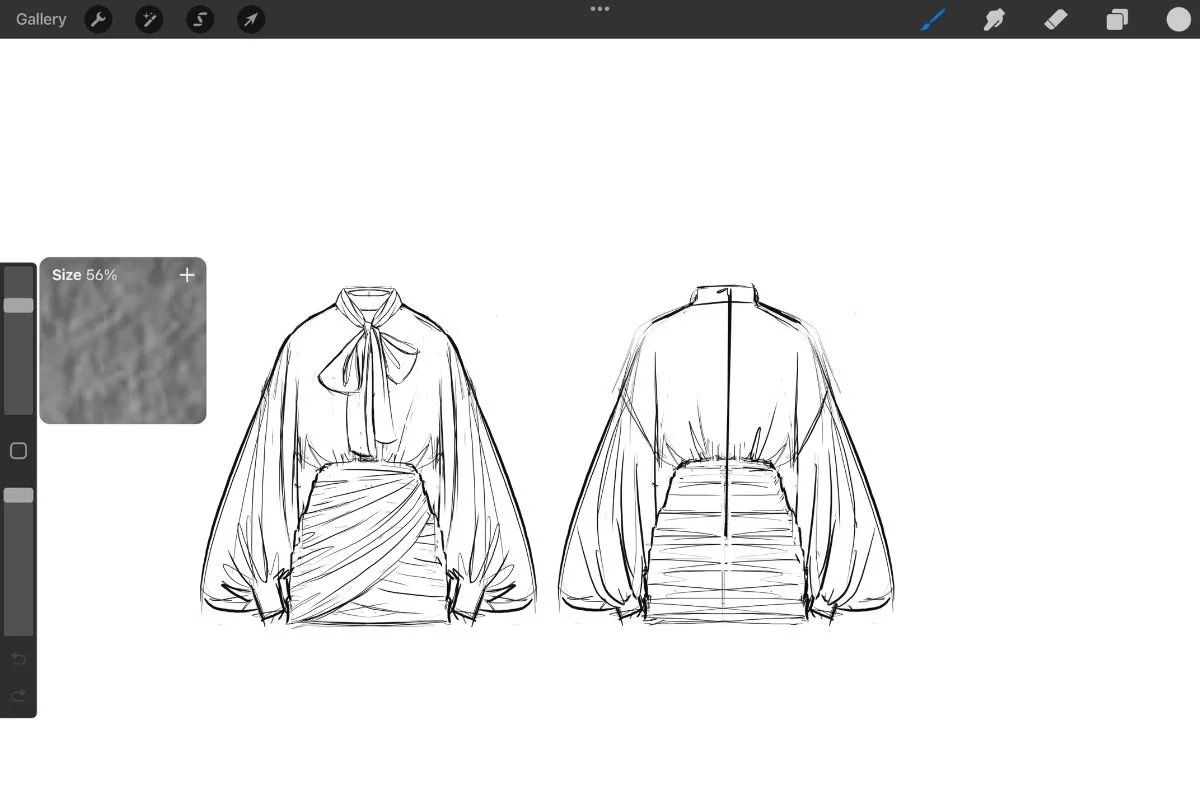
Step 5: Paint the texture onto your new layer.
Here’s the trick: don’t lift your Apple Pencil. Keep it on the screen and paint in one continuous stroke so the texture stays even. When you’re done, swipe left on the layer and tap Lock so you don’t accidentally paint on it later.
That’s it! Your sketch now sits on paper instead of a flat, blank canvas.
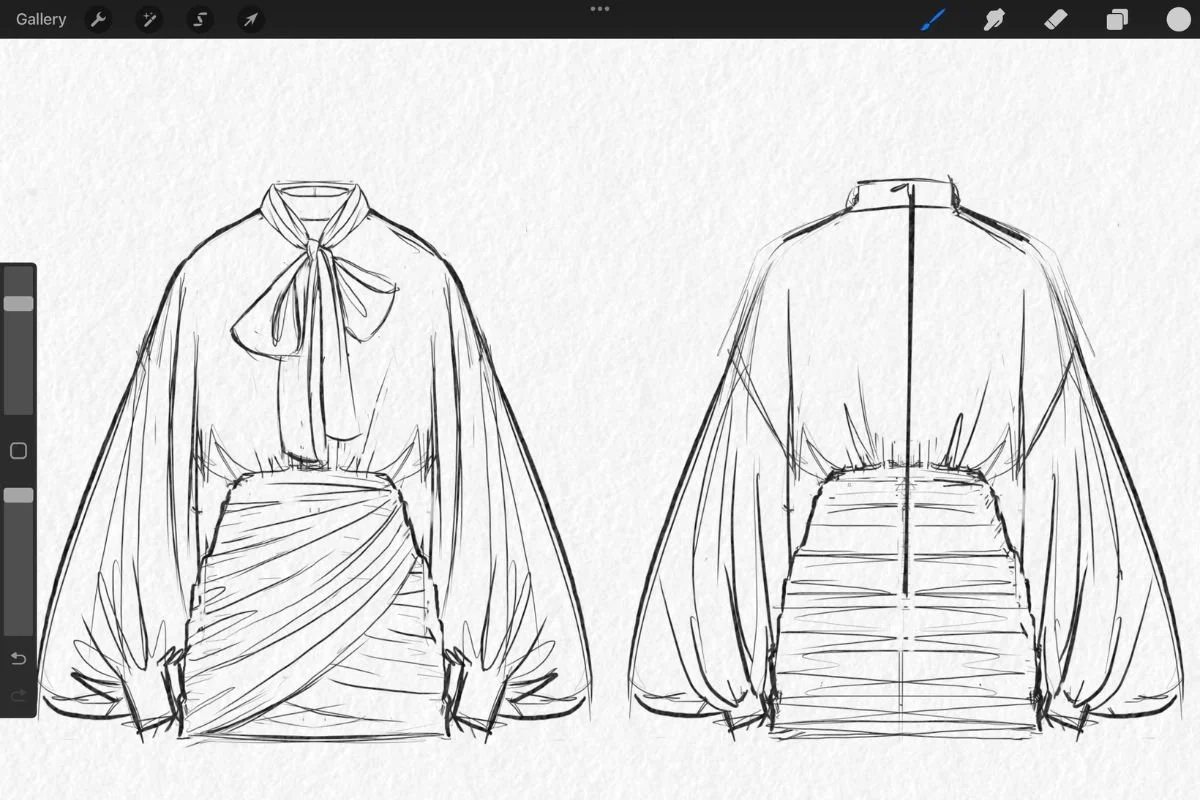
Finding the Perfect Paper Texture
You’ll need a paper texture brush for Step 3, so here are three ways to get one.
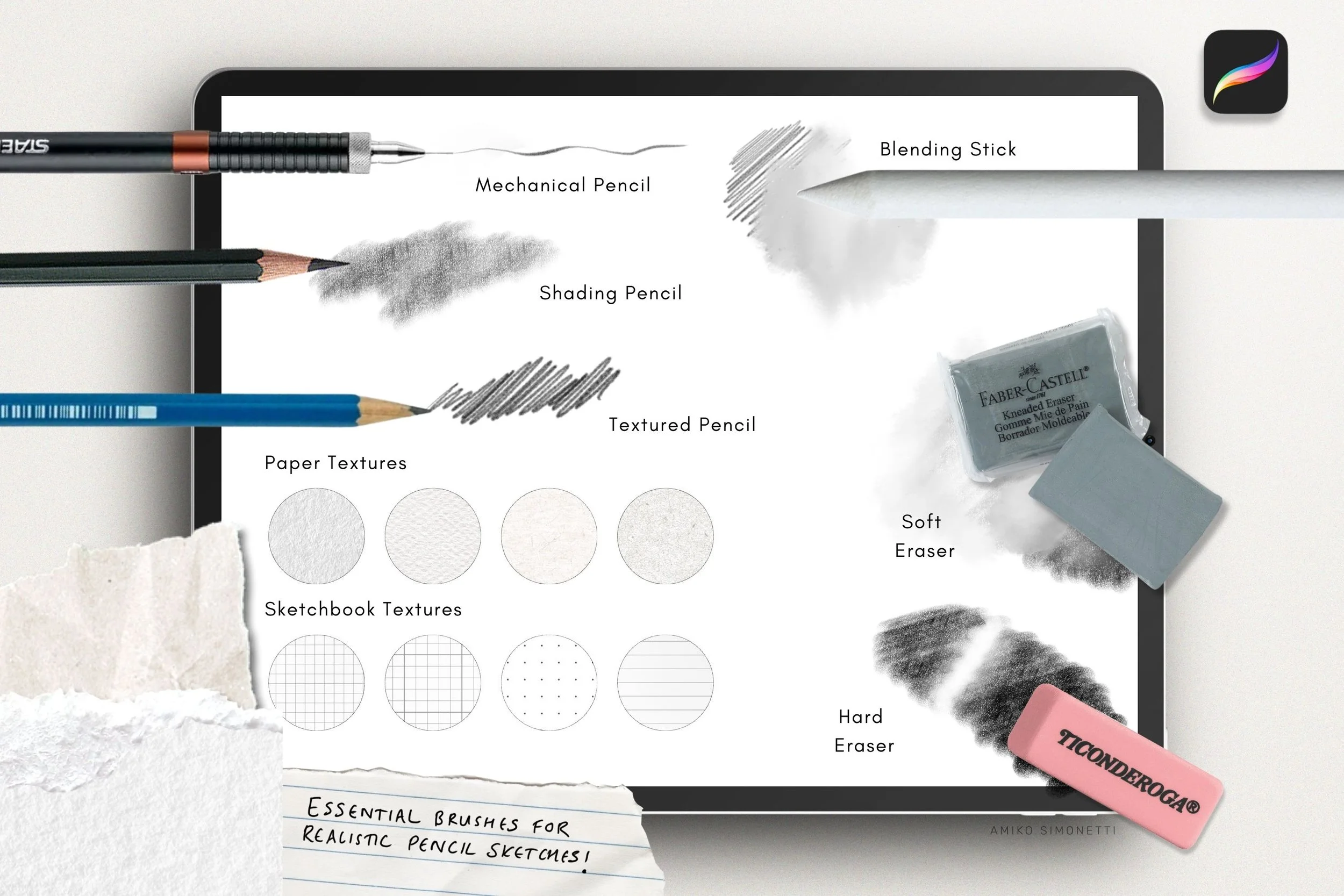
Option 1: My Pencil + Paper Procreate Brushes
These are the brushes I designed myself, after a lot of trial and error. I use them for all of my own portfolio work, and hundreds of customers around the world use them too. → Pencil + Paper Procreate Brushes
My two favorite paper textures in the set are Sketch Paper and Textured Paper, and I recommend starting with those. The set also includes:
A mechanical pencil
A shading pencil
A blending stick
Grids and lines for a notebook feel
Option 2: Included With My Procreate for Fashion Design Course
If you’re a student in my Procreate for Fashion Design course, you already a paper texture.
The course includes a brush library download called “Procreate Course” with my most-used, custom-designed brushes for fashion design. The paper texture is called “Sketch Paper,” and the library also includes my mechanical pencil.
Option 3: Free (Make It Yourself)
You can build your own paper brush using the stock paper textures in Procreate’s Source Library. I walk through it in a separate tutorial: How to Make Free Paper Texture. You’ll duplicate the Noise brush from the Materials set and edit the grain source to a paper texture.
Tips to Adjust Your Paper Texture
Every artist and every canvas is different, so the texture might not look quite right the first time. Depth and scale are the two things I tweak most, depending on my personal preference and the size of my canvas. Here are three easy ways to adjust it.
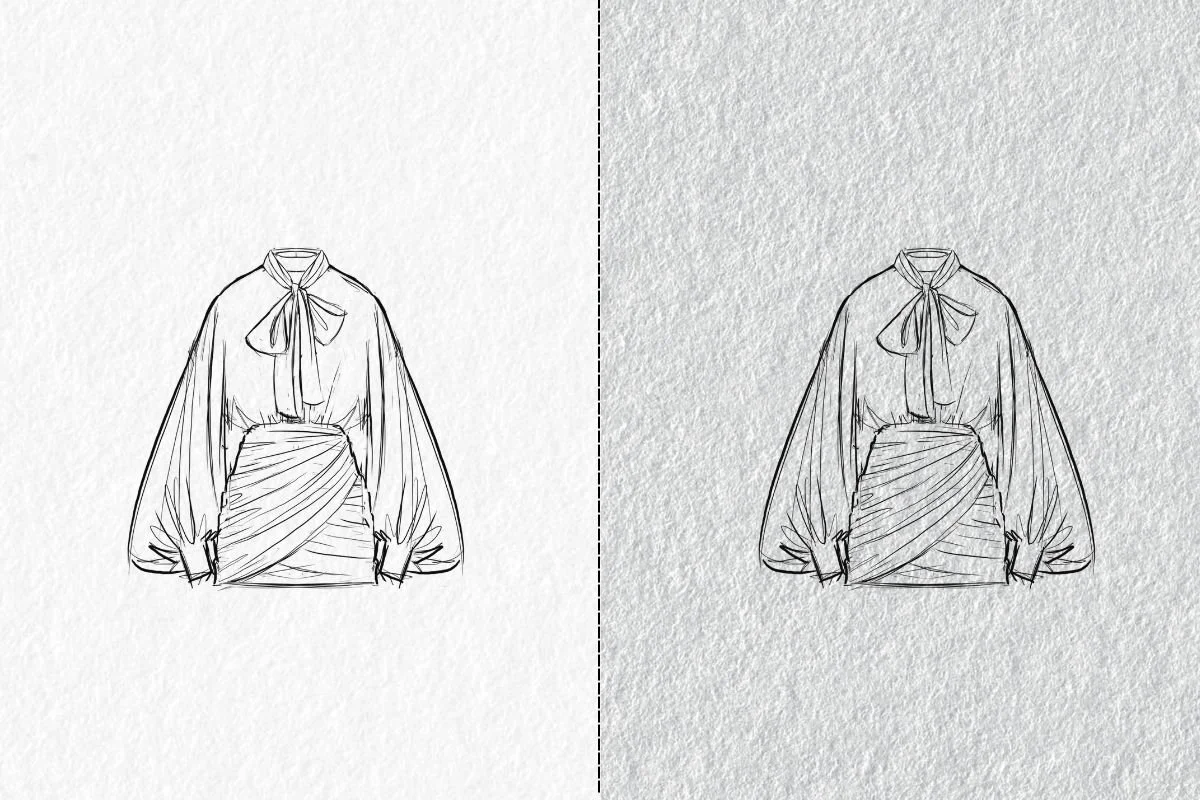
1. Duplicate the Layer for More Depth
When I say “depth,” I mean how strong and visible the paper grain looks. A single layer gives you a soft, subtle texture. Duplicating the layer stacks the grain on top of itself, so the paper looks richer and more pronounced, almost like you’re drawing on thicker, toothier paper.
Here’s how to do it:
Swipe left on your paper texture layer and tap Duplicate. If you want even more depth, duplicate it again. Just go a little at a time, because the texture builds up fast.
Group the two layers together, or merge them into one.
2. Change the Paper Color
I gave you a light grey (#cdcccc) as an example, but this is where you can play. Try a few different shades and see what feels right for your style. A darker grey is a great place to start if you want more depth, since it makes the grain stand out against your sketch.
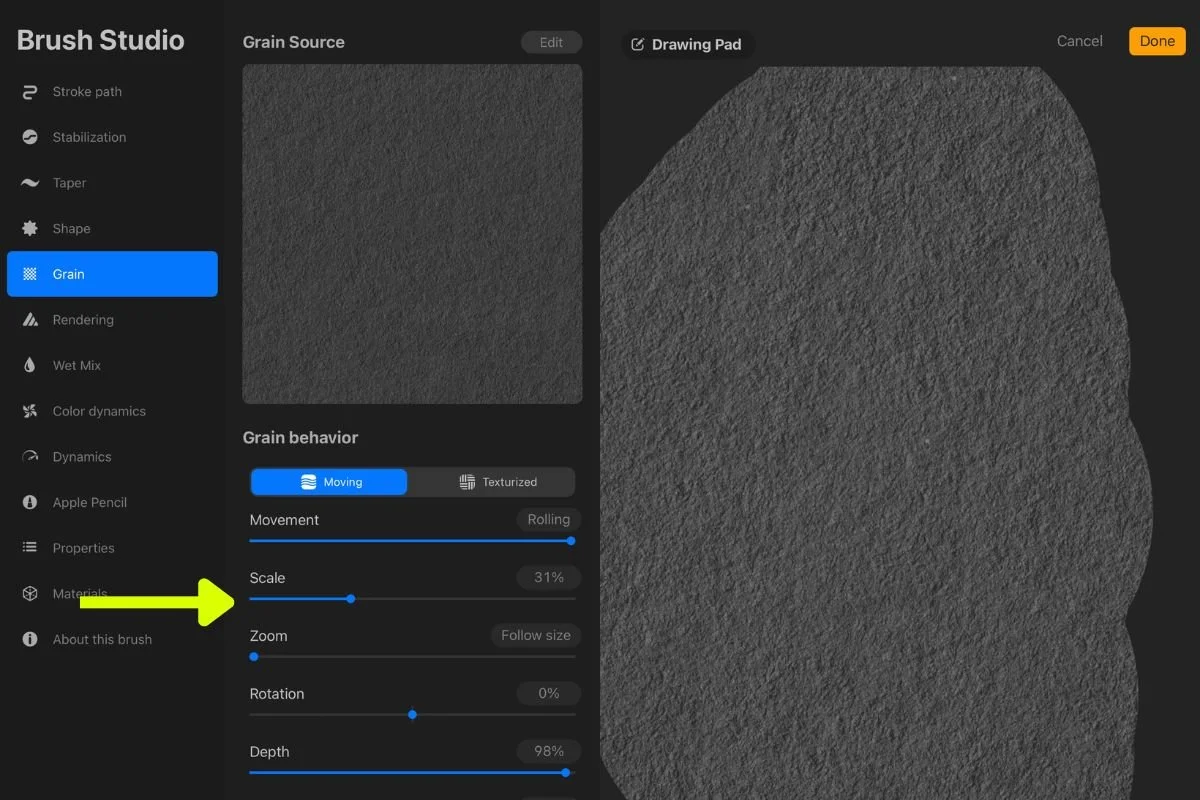
3. Adjust the Grain Scale
If the texture looks too large or too tiny for your canvas, you can change the scale. There are two ways to do it:
Option A: Use the Transform tool. Tap the Transform tool (the arrow icon in the top-left menu) and resize your paper texture layer directly.
Option B: Use Brush Studio. Double-tap your paper brush in the Brush Library to open Brush Studio, then go to Grain and adjust the Scale. Tap Done.
Try It On Your Next Sketch
If you take one thing from this post, let it be this: adding paper texture takes only a few minutes, and it can completely change how a sketch feels. It’s one of the easiest ways to make your digital work look more personal and more like you. Even if you only try it on one sketch, I think you’ll see the difference right away.
Here’s what to do next:
Create or download a paper texture. Pick whichever option fits you best from the “Finding the Perfect Paper Texture” section above.
Open a sketch in Procreate and add the texture. Add a new layer under your sketch, select your paper texture brush, paint in the texture with one continuous stroke, and lock the layer.
Adjust it to your taste. Duplicate the layer for more depth, try a different paper color, or change the grain scale until it feels right for your canvas.
Don’t Stop at Paper Texture
Paper texture is just one way to add a human touch. It’s the little tactile details that make a sketch stand out and feel special. Here are a few more things to try:
Use pencil brushes with dynamic line quality or grain. Lines that vary in pressure and texture look hand-drawn in a way that clean vector-style lines don’t.
Add light shading. A little soft shading, even just a touch, gives your sketch dimension and that “drawn on paper” feel.
Add tactile details. Handwritten notes, design callouts, fabric swatches, pieces of tape, and other little extras make a page feel real.
Get the Exact Brushes I Use
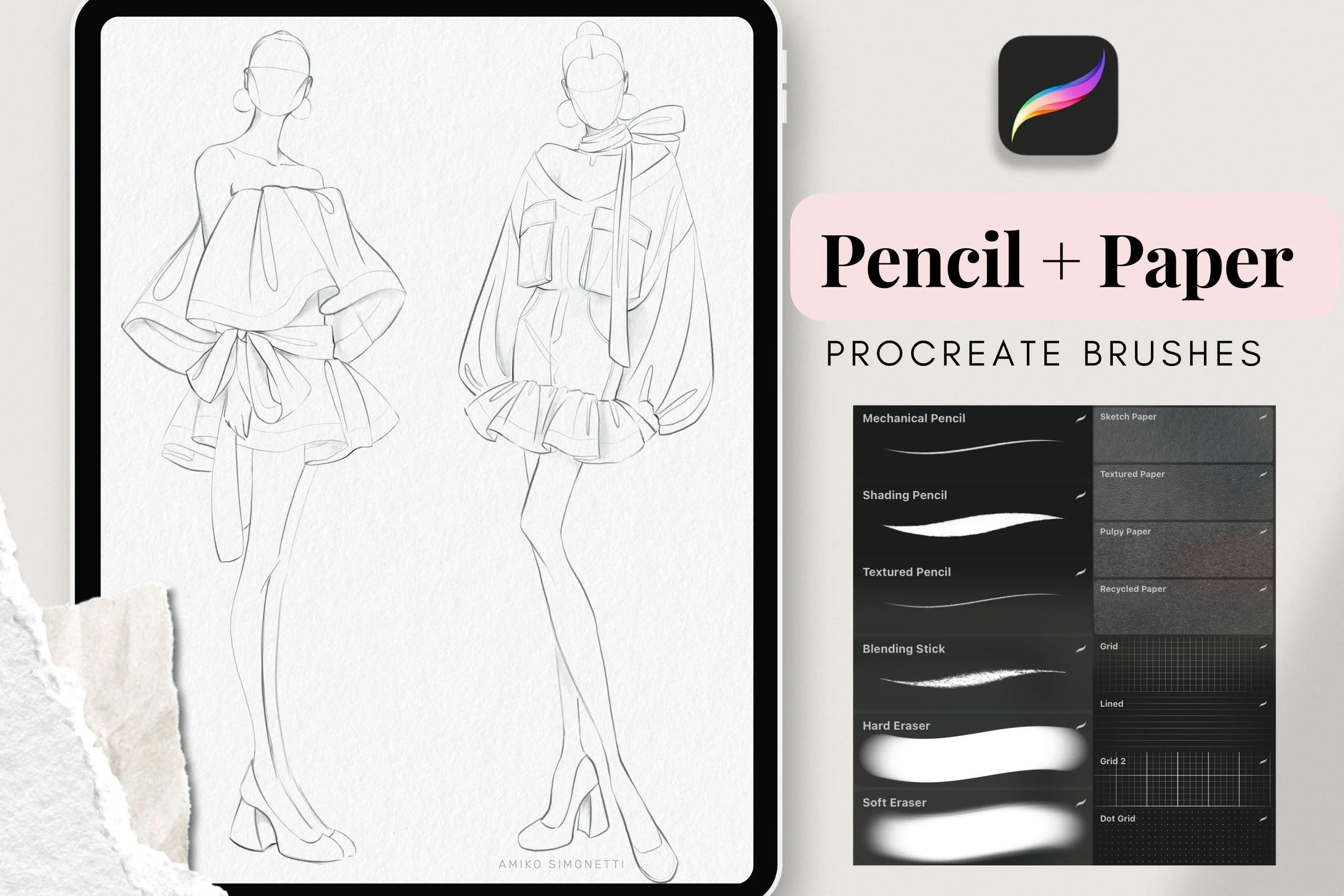
Every sketch you see in this post was made with my Pencil + Paper Procreate Brushes. I designed them myself after a lot of trial and error, and I use them for all of my own portfolio work. Hundreds of customers around the world use them too.
Everything we talked about today is already in the set, so you can get that hand-drawn look in just a few taps:
Sketch Paper and Textured Paper brushes for the paper texture
Mechanical pencil for dynamic, hand-drawn lines
Shading pencil and blending stick for light shading
Grids and lines for a notebook feel
If you want to go even further, my Procreate for Fashion Design course teaches my full fashion design process, and it includes the Sketch Paper texture and mechanical pencil too. And if you’d rather follow along, you can watch the full video tutorial here. [AMIKO- Link to video]
One Last Thing
In a world full of clean, digital art, let your sketches feel a little human. I’m curious, what’s your favorite way to add a human touch to your sketches?
-Amiko